|
IECM 13.1 User Manual > Installing the IECM > Installation > Installing the IECM on MacOS, Linux and ChromeOS > CrossOver > Portable Version > Run the IECM |
|
To run the IECM, click "Run Command" on the upper right side of the window. This will allow you to run an application in your selected bottle:
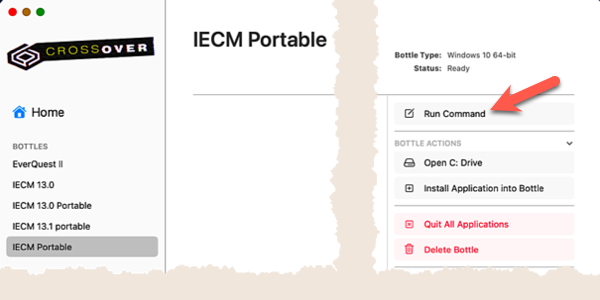
Run an Application
A "Run Command" dialog will pop up to allow you to choose the application to run. Click "Browse" in the upper right quadrant to locate and select the IECM as you would if you were running the Portable Version under Windows:
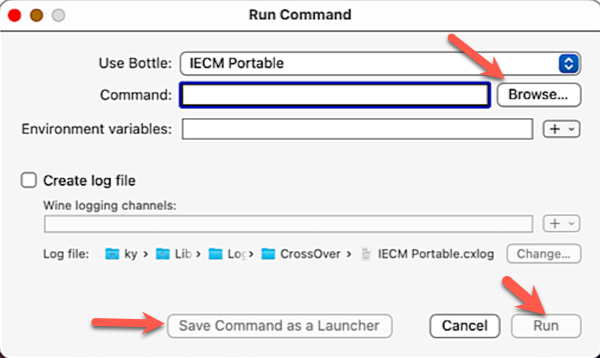
The Run Command Dialog
Once you have told CrossOver where to find the IECM, you can optionally click "Save Command as a Launcher" in the bottom center to create an icon for it in your bottle for future use. When you are ready, click "Run" in the lower right corner to run the IECM.
Copyright © 2022-2026 University of Wyoming. All rights reserved. Visit us at https://www.iecm-online.com/