|
IECM 13.1 User Manual > Installing the IECM > Installation > Installing the IECM on MacOS, Linux and ChromeOS > CrossOver > Portable Version > Choose a Bottle |
|
We're going to run the IECM in our IECM Portable bottle, which we've selected from the list on the left:
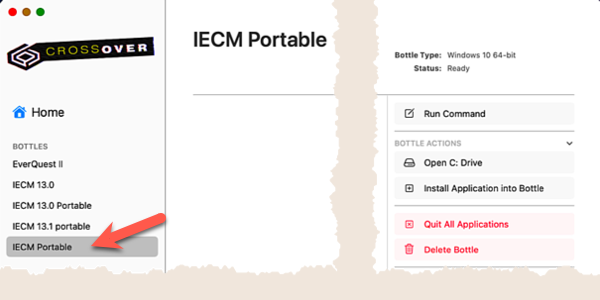
Select a Bottle
The options on the right allow us to copy the IECM into the bottle (optional) and run it. These tasks will be covered in the following sections.
|
Note: |
|
You may unzip the IECM using the tools provided by your operating system, however we recommend that you run it from inside CrossOver to ensure that it runs correctly. |
Copyright © 2022-2026 University of Wyoming. All rights reserved. Visit us at https://www.iecm-online.com/