CYBERSECURITY AWARENESS MONTH
Don’t Get Tricked •
Stay Safe from Two-Factor Authentication Scams

Two-Factor Authentication (2FA) is one of the strongest defenses you have against hackers. At the University of Wyoming, we use 2FA to add an extra layer of protection to your UW account. Even if a scammer manages to steal your password, they’re blocked from getting in unless they also have access to your second factor – usually your smartphone with the Duo app or a YubiKey.
Unfortunately, cybercriminals are getting smarter and have started finding ways to trick users into helping them bypass 2FA. Here’s what you need to know to stay safe:
Phishing for phone numbers
Some phishing scams now ask for your phone number – often on fake UW login pages or in deceptive emails. Once scammers have your number, they can send fake Duo requests or even call pretending to be IT support.
Tip: Be cautious about where you enter your personal information. Always verify that you’re logging in through official UW pages (look for “uwyo.edu” in the URL).
"MFA Fatigue" scams
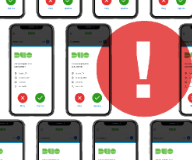
Attackers may try to log in to your account repeatedly, triggering one Duo push notification after another, hoping you’ll eventually tap “Approve” just to make the pop-ups stop. This is called an MFA fatigue attack.
Tip: If you’re not actively trying to log in, never approve a Duo request. Don’t expect it? Reject it!
Think before you tap
UWIT will never ask you to approve a Duo request or share your verification code. If you receive an unexpected 2FA prompt, it means someone already has your password and is trying to break through your last line of defense.
Here’s what to do:
- Reject the request immediately.
- Change your UW password right away.
- Contact the UWIT Help Desk at 307-766-4357 or userhelp@uwyo.edu.
A quick password checkup
If you receive a fraudulent 2FA request, it means attackers already have your UW password. If you’ve reused that password on other accounts – for email, banking, or shopping – those accounts are also at risk. Update your passwords on all of them immediately to stay protected.
We recommend that you:
- Create unique, strong passwords for every account to keep a single breach from spreading.
- Consider using a password manager to safely store and generate complex passwords.
- Keep 2FA enabled on as many accounts as possible – it’s your best backup defense when passwords fail.
By staying alert and taking a few extra seconds to verify what you approve, you can stop scammers cold – and keep both your UW account and personal data safe.