CYBERSECURITY AWARENESS MONTH
Is That Link Safe to Click? Let’s Find Out!
Phishing emails love to play the “click here” game. They’ll give you a big, shiny button or a convincing-looking link that takes you to a fake login page or sketchy form where attackers can scoop up your password or personal info. The trick is that the link may look fine at first glance – but a closer look can tell you the truth.
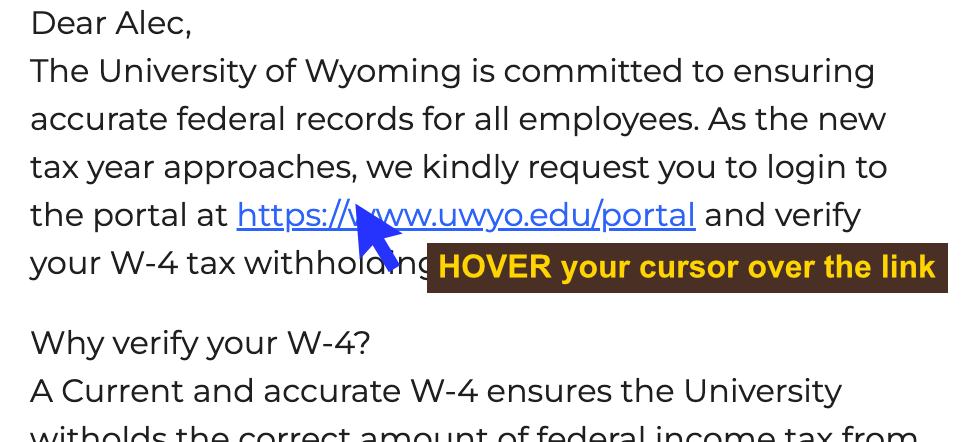
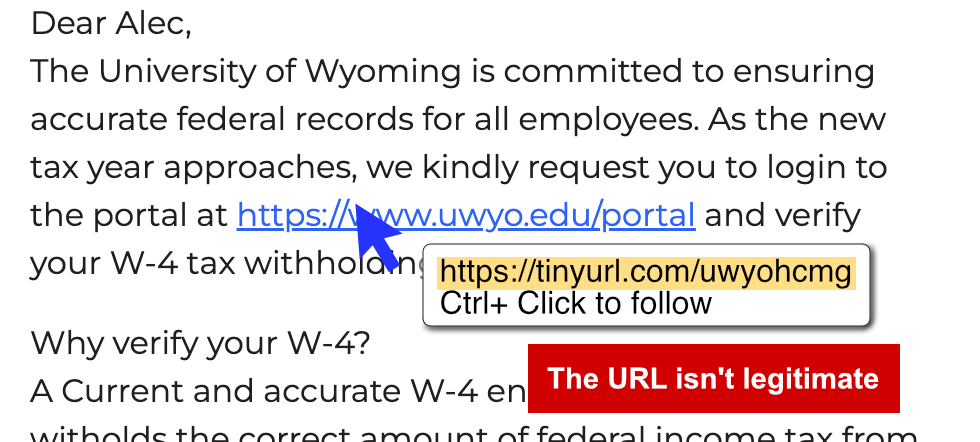
Start by giving the link a "hover test". Hover your mouse over it (without clicking!) and the real web address will usually pop up at the bottom of your screen. If hovering doesn’t work, you can right-click, copy the link, and paste it into a text editor to see where it really leads. The key here is curiosity – treat the link like a mystery you’re trying to solve.
PAUSE
and look
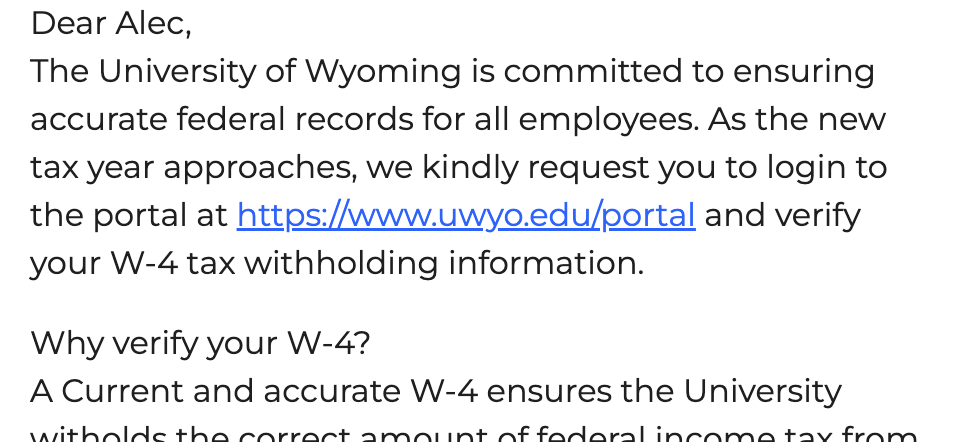
HOVER
over the URL
STOP -
don't click;
the link is
misleading
Now, here’s where it gets interesting: not all “UW” links are what they seem. If the primary domain is uwyo.edu, that’s a good sign. For example:
- https://www.uwyo.edu/acadaffairs/ (legit!)
- https://wyologin.uwyo.edu/ (also legit!)
- https://www.uwyo.edu.securelogin.com (nope – the “uwyo.edu” is just a trick here)
And don’t be fooled by links that mention University of Wyoming but aren’t actually from us. Something like http://secureoffshorelogin.com/univwyoming is just trying to look convincing. To make it a little trickier, some official UW systems don’t use “uwyo.edu” at all. For example, WyoCloud lives at https://eeik.fa.us2.oraclecloud.com/
and UWIT’s link shortener can create links like
https://uwit.link/news-abr. That’s why it helps to recognize the real addresses you use most often.
So, the next time you’re tempted to click, take a quick pause and play detective. Hover, inspect, and ask yourself: “Does this address really make sense?” A few extra seconds of checking could save you from handing over your password to a phisher. Stay sharp, and you’ll outsmart the bait every time.
If you have concerns with phishing or other cybersecurity issues please contact the UW IT Help Desk via email at userhelp@uwyo.edu, chat at support.uwyo.edu, or phone at 307-766-4357 Option 1.