CYBERSECURITY AWARENESS MONTH
Don’t Get Hooked: Phishing Safety at UW
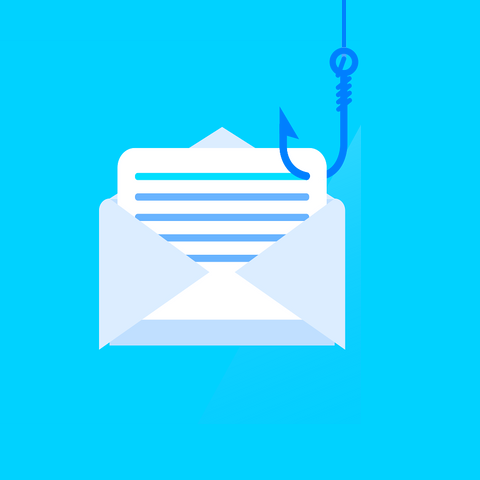
October is Cybersecurity Awareness Month, which makes it the perfect time to talk about a scam that keeps showing up in our inboxes – phishing.
Phishing is when someone tries to trick you into giving away personal information (like your UW credentials or bank details) by sending a fake email or pointing you to a fake website. Sometimes, these emails also carry hidden nasties like ransomware or other malware.
The good news? UW’s email system blocks most of these attempts. The not-so-good news? A few still sneak through. That’s why it’s up to all of us to stay sharp and avoid taking the bait. Phishing emails are getting smarter and harder to spot, but with a little practice you can learn to recognize the warning signs.
Here are three things to always check before trusting an email:
1. Who's it from?
Don’t just glance at the name – look closely at the email address. If it’s someone you don’t know, treat it with caution. If it’s “from UW” but has that red external email banner at the top, that’s a big red flag – it could be a spoofed (faked) address. Even emails from friends or coworkers can be suspicious if their account has been hacked. Bottom line: if something feels off, don’t assume the sender is who they say they are.

2. What's in the message?
Does the email make sense? Were you expecting it? Real messages usually fit the context of your work or studies, while phishing emails often contain odd requests, like a surprise offer for easy money or a colleague suddenly asking you to buy gift cards. Scammers also love using urgency (“Act now or lose access!”) to make you click before you think. Slow down and give it a second look.
3. Where do the links go?
Most phishing emails want you to click something. Before you do, hover your mouse over the link (without clicking) to see where it really leads. If it doesn’t look right, don’t risk it. When in doubt, type the known web address directly into your browser or contact the sender another way. A future newsletter cybersecurity article will take a deeper dive into what makes a link safe or suspicious.
If you spot a phishing email, don’t just delete it – report it using the “Report” button in Outlook or forward it to the UWIT HelpDesk. And if you accidentally click or share information, reach out to the HelpDesk right away so they can help secure your account.
Remember, staying safe online is a team effort. By taking a few extra moments to check who sent the email, what it’s asking, and where links lead, you can help protect yourself and the entire UW community from getting caught on the hook.
If you have concerns with phishing or other cybersecurity issues please contact the UW IT Help Desk via email at userhelp@uwyo.edu, chat at support.uwyo.edu, or phone at 307-766-4357 Option 1.