
If a file or page has a long list of subscribers, deleting it will create broken links. Submit a ticket to the CMS support team using the Request Help gadget located in the top right of your screen inside the CMS so those subscribers can be updated first.
What to Know About Dependency Tags
Where You'll See Dependency Tags
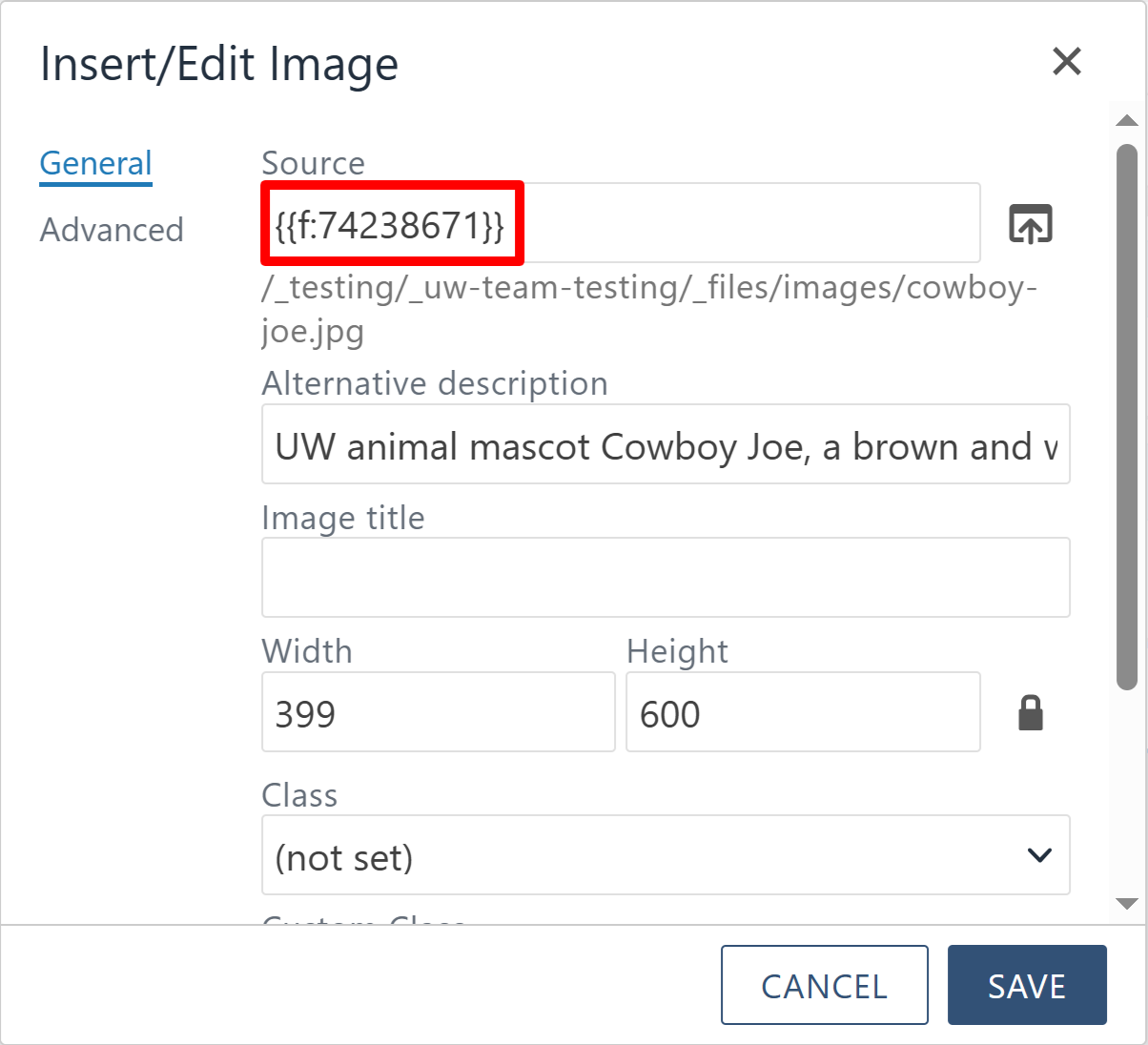
The tag number appears in the Source field when you insert or edit an image, wrapped
in two sets of curly brackets. You don't need to know it though, since the file browser
lets you search by name.
Dependency Tags Belong to the File
A dependency tag is tied to the individual page or file itself, not to where it sits in the site structure. Moving or renaming it keeps the tag intact, which is why links built from tags don't break.
Autogenerated and Fixed
Dependency tags are created automatically when a page or file is created. Site editors cannot change or edit the ID number.
Video Tutorial
The Dependency Tag Info Gadget lives in the Gadgets panel, accessible from the plug
icon in the top right of your page. This tutorial walks through how dependency tags
work while editing a page and how to look up a tag to see which other pages are referencing
it.
VIEW INSTRUCTIONS
Step-by-step instructions - Using Dependency Tags in the CMS
Let's cover the steps for looking up a file or page's dependency tag and checking which pages are referencing it. We strongly encourage you to follow along with the video tutorial the first time you use the gadget.

Click the Gadgets menu (the plug icon) in the top right of your page. Select the Dependency
Tag Info Gadget. If you don't see it listed, click the gear icon and activate it from
that screen. The gadget opens with a blank search box that accepts either a URL or
an asset name.

Navigate to the file or page you want to look up. Copy the path displayed at the top
of the screen. The process is the same for both files and pages.
Paste the path into the search box in the Dependency Tag Info Gadget and click the
search icon.
If nothing comes back, you may be too deep inside a folder. Go back to your site's
home/root folder and run the search again.
The gadget returns the staging path, the site the file is assigned to, and a list
of subscribers. Subscribers are the pages linking to that file, so a page appearing
here means something is actively pointing at your file. If you have access to the
folder, you can click the subscribers link to view them.
The unique ID number listed in the results is the dependency tag. It's assigned to
the file for the lifetime of that file, until the file is deleted or recycled, and
it cannot be changed. It exists only inside the CMS, so visitors browsing the live
site never see it. They always see the actual URL.

The University of Wyoming has earned its Research Level 1 (R1) status from the Carnegie Classification of Institutions of Higher Education, placing Wyoming's only four-year university with the top research universities in the United States.